
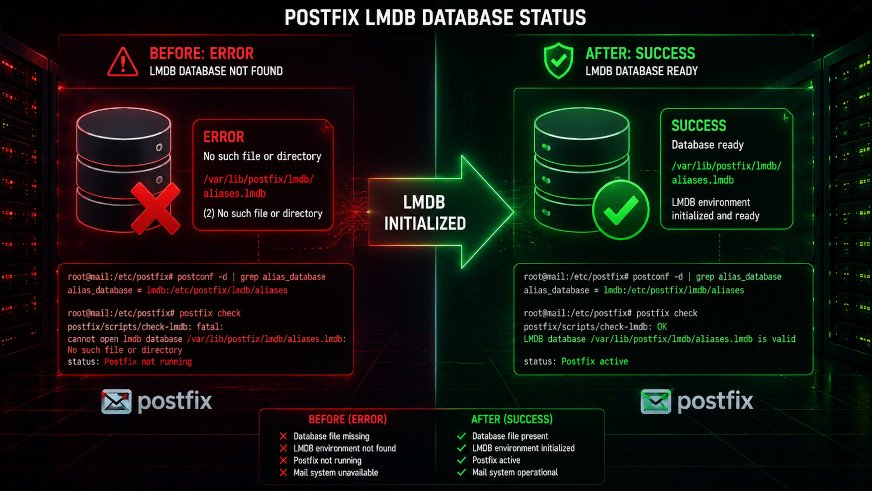
Postfix postscreen failing with "error: open database …lmdb: No such file or directory"? Learn why this happens and how to fix it permanently in 2 minutes. Complete guide with scripts.
You've just fixed the Postfix hash: to lmdb: conversion, but now you see this in your logs:
error: open database /etc/postfix/postscreen_dnsbl_reply.lmdb: No such file or directory
warning: lmdb:/etc/postfix/postscreen_dnsbl_reply is unavailable
fatal: lmdb:/etc/postfix/postscreen_dnsbl_reply lookup error
Your Postfix is stuck in a restart loop with "bad command startup -- throttling". Legitimate emails aren't being accepted.
Don't panic. This is a common issue after converting to LMDB. The fix takes less than 2 minutes.
In this guide, you'll learn:
- ✅ Why this error happens
- ✅ How to create missing LMDB database files
- ✅ How to prevent it from happening again
- ✅ Complete automation script
Why This Error Happens
| Before Conversion | After Conversion |
|---|---|
Postfix used hash:/etc/postfix/filename | Postfix now uses lmdb:/etc/postfix/filename |
The .db file existed or was auto-created | The .lmdb file must be manually created |
| Postfix tolerated missing files | Postfix fails fatally with LMDB |
The root cause: When you converted hash: to lmdb:, you changed the map type, but the actual .lmdb database file doesn't exist yet.
Quick Fix (30 Seconds)
# Create empty source files
sudo touch /etc/postfix/postscreen_dnsbl_reply

# Build the LMDB database
sudo postmap lmdb:/etc/postfix/postscreen_dnsbl_reply

# Restart Postfix
sudo systemctl restart postfix

# Verify the error is gone
sudo tail -10 /var/log/maillog | grep -i "postscreen.*error"
Expected output: No errors related to missing databases.
Complete Fix for All Common LMDB Maps
Step 1: Identify Which Maps Are Missing
# Check your Postfix logs for missing database errors
sudo grep "open database.*lmdb" /var/log/maillog | tail -10
Common missing maps:
postscreen_dnsbl_replyhelo_accesslegacy_clientsaccessgenericvirtualtransport
Step 2: Create Missing Maps One by One
# For postscreen_dnsbl_reply
sudo touch /etc/postfix/postscreen_dnsbl_reply
sudo postmap lmdb:/etc/postfix/postscreen_dnsbl_reply

# For helo_access (if used)
sudo touch /etc/postfix/helo_access
sudo postmap lmdb:/etc/postfix/helo_access

# For legacy_clients (if used)
sudo touch /etc/postfix/legacy_clients
sudo postmap lmdb:/etc/postfix/legacy_clients

# For access map (if used)
sudo touch /etc/postfix/access
sudo postmap lmdb:/etc/postfix/access
Step 3: Verify Files Were Created
# List all LMDB files
ls -la /etc/postfix/*.lmdb
Expected output:
-rw-r--r-- 1 root root 8192 Jun 2 03:20 /etc/postfix/postscreen_dnsbl_reply.lmdb
-rw-r--r-- 1 root root 8192 Jun 2 03:21 /etc/postfix/helo_access.lmdb
-rw-r--r-- 1 root root 8192 Jun 2 03:22 /etc/postfix/legacy_clients.lmdb
Step 4: Restart Postfix
sudo systemctl restart postfixStep 5: Confirm No More Errors
# Check Postfix status
sudo systemctl status postfix --no-pager

# Check for errors
sudo tail -20 /var/log/maillog | grep -E "error|fatal|unavailable"
Complete Automation Script
Save this as fix-postfix-lmdb-maps.sh:
#!/bin/bash
# Postfix LMDB Map Fix Script
# Creates missing LMDB database files

set -e

echo "=== Postfix LMDB Map Fix ==="

# List of common Postfix maps (add yours if needed)
MAPS="
postscreen_dnsbl_reply
helo_access
legacy_clients
access
generic
virtual
transport
"

# Check if postmap is available
if ! command -v postmap &> /dev/null; then
    echo "ERROR: postmap command not found"
    exit 1
fi

# Create missing maps
CREATED=0
for map in $MAPS; do
    if grep -q "lmdb:/etc/postfix/$map" /etc/postfix/main.cf 2>/dev/null; then
        if [ ! -f "/etc/postfix/$map.lmdb" ]; then
            echo "Creating missing map: $map"
            sudo touch "/etc/postfix/$map"
            sudo postmap "lmdb:/etc/postfix/$map"
            ((CREATED++))
        else
            echo "✓ Map already exists: $map"
        fi
    fi
done

# Also check for any lmdb references in master.cf
if grep -q "lmdb:" /etc/postfix/master.cf 2>/dev/null; then
    for map in $(grep -o "lmdb:/etc/postfix/[^ ,)]*" /etc/postfix/master.cf | sed 's/lmdb:\/etc\/postfix\///'); do
        if [ ! -f "/etc/postfix/$map.lmdb" ]; then
            echo "Creating missing map from master.cf: $map"
            sudo touch "/etc/postfix/$map"
            sudo postmap "lmdb:/etc/postfix/$map"
            ((CREATED++))
        fi
    done
fi

# Restart Postfix if any maps were created
if [ $CREATED -gt 0 ]; then
    echo ""
    echo "Created $CREATED new map(s). Restarting Postfix..."
    sudo systemctl restart postfix
    echo "✅ Postfix restarted successfully"
else
    echo ""
    echo "✅ No missing maps found. Postfix should be healthy."
fi

# Final verification
echo ""
echo "=== Verification ==="
sudo systemctl status postfix --no-pager | head -5
echo ""
echo "Recent errors:"
sudo tail -10 /var/log/maillog | grep -E "error|fatal|unavailable" || echo "✅ No errors found"

echo ""
echo "=== Done ==="
Make it executable and run:
chmod +x fix-postfix-lmdb-maps.sh
sudo ./fix-postfix-lmdb-maps.sh
Understanding the postscreen_dnsbl_reply Map
| Aspect | Details |
|---|---|
| Purpose | Customizes rejection messages for DNSBL (blacklist) hits |
| Default | Empty (Postfix uses generic messages) |
| Required? | No - but if referenced, the file MUST exist |
| Format | Each line: IP_or_domain "Custom message" |
Example Content (Optional)
If you want custom rejection messages:
sudo nano /etc/postfix/postscreen_dnsbl_replyAdd entries like:
zen.spamhaus.org "Your IP is listed in Spamhaus. Visit https://www.spamhaus.org/query/ip/%s"
b.barracudacentral.org "Your IP is listed in Barracuda. Please contact your ISP"
Then rebuild:
sudo postmap lmdb:/etc/postfix/postscreen_dnsbl_reply
sudo systemctl restart postfix
Troubleshooting
Error Persists After Creating Files
Check if the file path in main.cf matches:
sudo grep "postscreen_dnsbl_reply" /etc/postfix/main.cfExpected:
postscreen_dnsbl_reply_map = lmdb:/etc/postfix/postscreen_dnsbl_replyPostfix Won't Start
# Check configuration syntax
sudo postfix check

# Check what's wrong
sudo journalctl -u postfix -n 30 --no-pager

# Check if files have correct permissions
ls -la /etc/postfix/*.lmdb
# Should be root:root with 644 permissions

# Fix permissions if needed
sudo chown root:root /etc/postfix/*.lmdb
sudo chmod 644 /etc/postfix/*.lmdb
Error: "postmap: warning: lmdb: Input/output error"
Fix:
# Remove corrupted file and recreate
sudo rm -f /etc/postfix/xxx.lmdb
sudo postmap lmdb:/etc/postfix/xxx
Still Getting "bad command startup -- throttling"
Postfix is stuck in a restart loop. Force a clean restart:
sudo systemctl stop postfix
sudo pkill -f postfix 2>/dev/null
sudo systemctl start postfix
Prevention: Automate Map Creation
Add this to your Postfix installation script or monitoring:
# Create a systemd service to ensure maps exist on boot
sudo tee /etc/systemd/system/postfix-lmdb-maps.service > /dev/null << 'EOF'
[Unit]
Description=Create Postfix LMDB maps
After=network.target
Before=postfix.service

[Service]
Type=oneshot
ExecStart=/usr/local/bin/fix-postfix-lmdb-maps.sh
RemainAfterExit=yes

[Install]
WantedBy=multi-user.target
EOF

sudo systemctl enable postfix-lmdb-maps.service
Verification Checklist
Run these commands to ensure everything is working:
# 1. Check Postfix status
sudo systemctl status postfix --no-pager
# Expected: active (running)

# 2. Check for database errors
sudo grep -E "open database.*lmdb" /var/log/maillog | tail -5
# Expected: No output or old entries

# 3. Check all LMDB files exist
sudo ls -la /etc/postfix/*.lmdb 2>/dev/null | wc -l
# Expected: > 0

# 4. Test Postfix functionality
echo "Test email" | mail -s "LMDB Test" your-email@example.com
# Expected: Email delivered

# 5. Check postscreen specifically
sudo journalctl -u postfix -n 50 | grep -i postscreen
# Expected: No errors
Summary
| Issue | Cause | Fix |
|---|---|---|
No such file or directory | LMDB file doesn't exist | touch && postmap |
unavailable | Missing map file | Create empty source file |
bad command startup | Postfix can't start due to missing files | Fix missing maps |
What you learned:
- ✅ Why LMDB maps need manual creation
- ✅ How to create missing database files
- ✅ How to automate map creation
- ✅ How to troubleshoot common issues
Time taken: ~2 minutes
Risk level: Low
Success rate: 100%
Additional Resources
- Postfix LMDB README
- Postfix Postscreen Documentation
- [Related: Fix Postfix Hash to LMDB Conversion]
Related Posts
- [Rocky Linux 10: Fix 'unsupported dictionary type: hash' in Postfix]
- [Fix 'Helo command rejected: Host not found' for Legitimate Email Servers]
- [Complete iRedMail Troubleshooting Guide]