
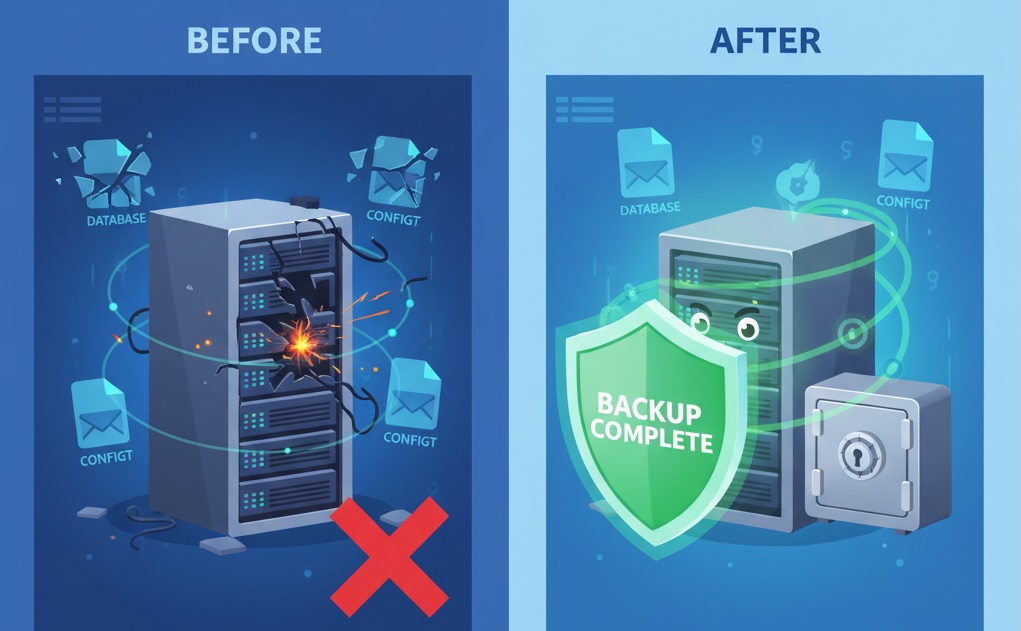
Here's a scenario no server administrator wants to face 🙂
You wake up to find your email server unresponsive. The disk has failed. Your hosting provider says the last backup is from 6 months ago. Your CEO is asking why no one can send or receive email.
What do you do?
If you're like most iRedMail administrators, you probably:
- ❌ Have no formal backup strategy
- ❌ Don't know exactly which files need backing up
- ❌ Have never tested a restore
- ❌ Will discover your backups are incomplete when it's too late
I've been there. After upgrading multiple iRedMail servers, I've learned exactly what needs to be backed up, what's optional, and how to restore everything quickly.
In this guide, you'll learn:
- The 5 critical components you must back up
- A one-line backup script that saves everything
- How to restore from bare metal in 15 minutes
- Automated daily backups with retention policies
- How to test your backups without breaking production
What you'll need:
- SSH access to your server
- Root or sudo privileges
- 10 minutes to set up backups
- A second server or external storage for backup destination
Part 1: What You Must Back Up (The Critical 5)
After analyzing iRedMail thoroughly, these are the non-negotiable components:
| # | Component | Path | Why Critical |
|---|---|---|---|
| 1 | Roundcube Files | /opt/www/roundcubemail* | Webmail interface |
| 2 | Roundcube Database | roundcubemail (MySQL) | User settings, contacts |
| 3 | iRedAdmin | /opt/www/iredadmin* | Admin interface |
| 4 | SSL Certificates | /etc/letsencrypt/ | Trusted connections |
| 5 | System Configurations | /etc/postfix/, /etc/dovecot/, /etc/nginx/ | Email functionality |
What You DON'T Need to Back Up
| Component | Why Skip |
|---|---|
/var/vmail/ | Email storage (large, can be rsync'd separately) |
/var/log/ | Logs regenerate automatically |
/tmp/ | Temporary files |
| Mail queues | Postfix regenerates |
Note: If you have terabytes of email data, back up
/var/vmail/separately using rsync. This guide focuses on the configuration and application backup.
Part 2: The Complete Backup Script
Save this as /usr/local/bin/backup-iredmail.sh:
#!/bin/bash
# ============================================================
# iRedMail Complete Backup Script
# ============================================================
# Backs up:
#   - Roundcube files and database
#   - iRedAdmin files
#   - SSL certificates (Let's Encrypt)
#   - Postfix, Dovecot, Nginx configurations
#   - Fail2ban and firewall configurations
# ============================================================

set -e

# ========== CONFIGURATION ==========
BACKUP_ROOT="/backup"
RETENTION_DAYS=7
MYSQL_USER="root"
MYSQL_PASSWORD="your_mysql_root_password"  # CHANGE THIS
TOPIC="your-ntfy-topic"                     # OPTIONAL: for notifications

# ========== FUNCTIONS ==========
send_notification() {
    local title="$1"
    local message="$2"
    local priority="${3:-default}"

    if command -v curl &> /dev/null && [ -n "$TOPIC" ] && [ "$TOPIC" != "your-ntfy-topic" ]; then
        curl -s -H "Title: $title" \
             -H "Priority: $priority" \
             -d "$message" \
             https://ntfy.sh/$TOPIC > /dev/null 2>&1
    fi
}

log() {
    echo "[$(date '+%Y-%m-%d %H:%M:%S')] $1"
}

# ========== MAIN BACKUP PROCESS ==========
BACKUP_DATE=$(date +%Y%m%d-%H%M%S)
BACKUP_DIR="$BACKUP_ROOT/iredmail-backup-$BACKUP_DATE"

log "Starting iRedMail backup..."

# Create backup directory
mkdir -p "$BACKUP_DIR"
mkdir -p "$BACKUP_DIR/roundcube"
mkdir -p "$BACKUP_DIR/iredadmin"
mkdir -p "$BACKUP_DIR/ssl"
mkdir -p "$BACKUP_DIR/config"

# 1. Backup Roundcube files
log "Backing up Roundcube files..."
if [ -d "/opt/www/roundcubemail" ]; then
    cp -r /opt/www/roundcubemail "$BACKUP_DIR/roundcube/current"
    log "  ✓ Roundcube files backed up"
else
    log "  ✗ Roundcube not found at /opt/www/roundcubemail"
    send_notification "⚠️ Backup Warning" "Roundcube directory not found" "high"
fi

# 2. Backup iRedAdmin files
log "Backing up iRedAdmin files..."
if [ -d "/opt/www/iredadmin" ]; then
    cp -r /opt/www/iredadmin "$BACKUP_DIR/iredadmin/current"
    log "  ✓ iRedAdmin files backed up"
fi

# 3. Backup Roundcube database
log "Backing up Roundcube database..."
if mysqldump -u "$MYSQL_USER" -p"$MYSQL_PASSWORD" roundcubemail > "$BACKUP_DIR/roundcubemail.sql" 2>/dev/null; then
    log "  ✓ Roundcube database backed up ($(ls -lh $BACKUP_DIR/roundcubemail.sql | awk '{print $5}'))"
else
    log "  ✗ Roundcube database backup failed"
    send_notification "❌ Backup Failed" "Roundcube database backup failed" "urgent"
    exit 1
fi

# 4. Backup iRedMail database (vmail, amavis, etc.)
log "Backing up iRedMail system databases..."
for DB in vmail amavis iredadmin; do
    if mysqldump -u "$MYSQL_USER" -p"$MYSQL_PASSWORD" "$DB" > "$BACKUP_DIR/${DB}.sql" 2>/dev/null; then
        log "  ✓ $DB database backed up"
    else
        log "  ✗ $DB database backup failed (may not exist)"
    fi
done

# 5. Backup SSL certificates
log "Backing up SSL certificates..."
if [ -d "/etc/letsencrypt" ]; then
    cp -r /etc/letsencrypt "$BACKUP_DIR/ssl/"
    log "  ✓ SSL certificates backed up"
fi

# 6. Backup system configurations
log "Backing up system configurations..."
CONFIG_DIRS="/etc/postfix /etc/dovecot /etc/nginx /etc/fail2ban /etc/php.ini /etc/ssh/sshd_config /etc/iredmail-release"

for dir in $CONFIG_DIRS; do
    if [ -e "$dir" ]; then
        cp -r "$dir" "$BACKUP_DIR/config/" 2>/dev/null
        log "  ✓ $(basename $dir) backed up"
    fi
done

# 7. Backup custom scripts
log "Backing up custom scripts..."
if [ -d "/usr/local/bin" ]; then
    cp -r /usr/local/bin "$BACKUP_DIR/config/"
    log "  ✓ Custom scripts backed up"
fi

# 8. Create metadata file
log "Creating backup metadata..."
cat > "$BACKUP_DIR/backup-info.txt" << EOF
Backup Date: $(date)
Server Hostname: $(hostname)
iRedMail Version: $(cat /etc/iredmail-release 2>/dev/null || echo "Unknown")
Roundcube Version: $(head -5 /opt/www/roundcubemail/index.php 2>/dev/null | grep Version || echo "Unknown")
Backup Size: $(du -sh $BACKUP_DIR | awk '{print $1}')
EOF

# 9. Compress backup
log "Compressing backup..."
cd "$BACKUP_ROOT"
tar -czf "$BACKUP_DIR.tar.gz" "iredmail-backup-$BACKUP_DATE"
rm -rf "$BACKUP_DIR"

# 10. Clean up old backups
log "Cleaning up backups older than $RETENTION_DAYS days..."
find "$BACKUP_ROOT" -name "iredmail-backup-*.tar.gz" -type f -mtime +$RETENTION_DAYS -delete

# 11. Calculate backup size
BACKUP_SIZE=$(ls -lh "$BACKUP_DIR.tar.gz" | awk '{print $5}')
TOTAL_BACKUPS=$(find "$BACKUP_ROOT" -name "iredmail-backup-*.tar.gz" -type f | wc -l)

# 12. Send success notification
log "Backup completed successfully!"
send_notification "✅ iRedMail Backup Complete" \
    "Size: $BACKUP_SIZE | Total backups: $TOTAL_BACKUPS | Server: $(hostname)" \
    "default"

log "Backup saved to: $BACKUP_DIR.tar.gz"
log "Total backup size: $BACKUP_SIZE"

# ========== SUMMARY ==========
echo ""
echo "=========================================="
echo "Backup Summary"
echo "=========================================="
echo "Location: $BACKUP_DIR.tar.gz"
echo "Size: $BACKUP_SIZE"
echo "Retention: $RETENTION_DAYS days"
echo "Total backups kept: $TOTAL_BACKUPS"
echo "=========================================="
Configuration Instructions
Before running the script:
# 1. Edit the script to add your MySQL password
sudo nano /usr/local/bin/backup-iredmail.sh

# Change this line:
MYSQL_PASSWORD="your_mysql_root_password"

# Optional: Add your ntfy.sh topic for notifications
TOPIC="your-ntfy-topic"

# 2. Make the script executable
sudo chmod +x /usr/local/bin/backup-iredmail.sh

# 3. Create backup directory
sudo mkdir -p /backup
Part 3: Automated Daily Backups
Add to Crontab
sudo crontab -eAdd this line for daily backups at 2:00 AM:
0 2 * * * /usr/local/bin/backup-iredmail.sh >> /var/log/backup.log 2>&1Offsite Backup (Copy to Another Server)
Add this to the same crontab for offsite replication:
# Copy to remote server after backup (runs at 3:00 AM)
0 3 * * * rsync -avz /backup/ user@remote-server.com:/backup/ --delete
Part 4: Disaster Recovery - Complete Restore
Scenario: Your Server Crashed Completely
You have a new server with a fresh OS. Here's how to restore everything.
Step 1: Install Base System
# Install Rocky Linux 10.1 (or your preferred OS)
# Then install iRedMail normally (same version as before)
# STOP after installation - don't configure anything
Step 2: Copy Your Backup to the Server
# From your backup location (local or remote)
scp /backup/iredmail-backup-20260525-020001.tar.gz root@new-server:/root/
Step 3: Extract the Backup
# On the new server
cd /root
tar -xzf iredmail-backup-*.tar.gz
cd iredmail-backup-*/
Step 4: Restore Databases
# Stop services
sudo systemctl stop postfix dovecot nginx php-fpm

# Restore Roundcube database
mysql -u root -p roundcubemail < roundcubemail.sql

# Restore other databases
mysql -u root -p vmail < vmail.sql
mysql -u root -p amavis < amavis.sql
mysql -u root -p iredadmin < iredadmin.sql
Step 5: Restore Configuration Files
# Restore Postfix configuration
sudo cp -r config/postfix/* /etc/postfix/

# Restore Dovecot configuration
sudo cp -r config/dovecot/* /etc/dovecot/

# Restore Nginx configuration
sudo cp -r config/nginx/* /etc/nginx/

# Restore Fail2ban configuration
sudo cp -r config/fail2ban/* /etc/fail2ban/

# Restore PHP configuration
sudo cp config/php.ini /etc/php.ini

# Restore SSH configuration
sudo cp config/sshd_config /etc/ssh/sshd_config
Step 6: Restore Roundcube and iRedAdmin Files
# Restore Roundcube
sudo rm -rf /opt/www/roundcubemail
sudo cp -r roundcube/current /opt/www/roundcubemail

# Restore iRedAdmin
sudo rm -rf /opt/www/iredadmin
sudo cp -r iredadmin/current /opt/www/iredadmin

# Restore SSL certificates
sudo cp -r ssl/letsencrypt /etc/
Step 7: Fix Permissions
# Set proper ownership
sudo chown -R root:root /opt/www/roundcubemail
sudo chown -R nginx:nginx /opt/www/roundcubemail/logs
sudo chown -R nginx:nginx /opt/www/roundcubemail/temp
sudo chown -R iredadmin:iredadmin /opt/www/iredadmin

# Set proper permissions
sudo find /opt/www/roundcubemail -type d -exec chmod 755 {} \;
sudo find /opt/www/roundcubemail -type f -exec chmod 644 {} \;
sudo chmod 755 /opt/www/roundcubemail/logs
sudo chmod 755 /opt/www/roundcubemail/temp
Step 8: Restart Services
sudo systemctl restart postfix dovecot nginx php-fpm fail2banStep 9: Verify Restoration
# Check services
sudo systemctl status postfix dovecot nginx php-fpm

# Test webmail
# Open https://your-domain.com/mail/

# Test email send/receive
echo "Test email" | mail -s "Restore Test" your-email@example.com
Part 5: Selective Restore (Common Scenarios)
Scenario A: Only Roundcube Database Lost
# Restore only the Roundcube database
mysql -u root -p roundcubemail < roundcubemail.sql

# No service restart needed
Scenario B: Only Configuration Files Corrupted
# Restore Postfix config only
sudo cp config/postfix/main.cf /etc/postfix/
sudo systemctl restart postfix
Scenario C: Only SSL Certificates Expired/Renewed
# Restore certificates
sudo cp -r ssl/letsencrypt/* /etc/letsencrypt/
sudo systemctl restart nginx postfix dovecot
Part 6: Testing Your Backups (Crucial Step)
A backup is only useful if you've tested it. Here's how:
Test 1: Validate Backup Integrity
# Check if backup tar is valid
tar -tzf /backup/iredmail-backup-*.tar.gz > /dev/null && echo "✅ Backup is valid" || echo "❌ Backup corrupted"
Test 2: Restore to a Test Server
Use Docker or a VM to test a full restore:
# Create a test environment (Docker example)
docker run -it --name iredmail-test rocky linux:10.1 bash

# Then follow the restore steps in Part 4
Test 3: Verify Database Dumps
# Check if SQL files contain data
grep -c "INSERT INTO" /backup/*/roundcubemail.sql
# Should show a number > 0
Part 7: Monitoring Backup Health
Add Backup Health Check
sudo tee /usr/local/bin/check-backup-health.sh > /dev/null << 'EOF'
#!/bin/bash

BACKUP_DIR="/backup"
HEALTHY=true

# Find latest backup
LATEST=$(ls -t $BACKUP_DIR/iredmail-backup-*.tar.gz 2>/dev/null | head -1)

if [ -z "$LATEST" ]; then
    echo "❌ No backups found!"
    exit 1
fi

# Check backup age (should be less than 48 hours)
BACKUP_DATE=$(stat -c %Y "$LATEST")
NOW=$(date +%s)
AGE=$(( (NOW - BACKUP_DATE) / 3600 ))

if [ $AGE -gt 48 ]; then
    echo "⚠️ Latest backup is $AGE hours old"
    HEALTHY=false
else
    echo "✅ Backup age: $AGE hours"
fi

# Check backup size (should be > 1MB)
SIZE=$(stat -c %s "$LATEST")
if [ $SIZE -lt 1000000 ]; then
    echo "❌ Backup size is too small: $SIZE bytes"
    HEALTHY=false
else
    echo "✅ Backup size: $(numfmt --to=iec $SIZE)"
fi

# Check if tar is valid
if tar -tzf "$LATEST" > /dev/null 2>&1; then
    echo "✅ Backup integrity: OK"
else
    echo "❌ Backup is corrupted"
    HEALTHY=false
fi

if [ "$HEALTHY" = true ]; then
    echo "✅ All backup health checks passed"
    exit 0
else
    exit 1
fi
EOF

sudo chmod +x /usr/local/bin/check-backup-health.sh
Add to Crontab for Daily Health Check
sudo crontab -eAdd:
# Check backup health and alert
0 9 * * * /usr/local/bin/check-backup-health.sh || curl -H "Title: ❌ Backup Failed" -d "Backup health check failed" https://ntfy.sh/your-topic
Part 8: Backup Storage Recommendations
| Storage Type | Pros | Cons | Best For |
|---|---|---|---|
| Local disk | Fast, simple | Single point of failure | Temporary |
| External USB drive | Portable, offline | Manual | Small deployments |
| NFS/CIFS share | Centralized | Network dependency | Small offices |
| S3/Cloud storage | Offsite, durable | Cost, bandwidth | Production |
| Rsync to backup server | Automated, secure | Requires second server | Best practice |
Example: Rsync to Remote Server
# Setup SSH key for passwordless rsync
ssh-keygen -t rsa -b 4096
ssh-copy-id backup-user@remote-server.com

# Create rsync script
sudo tee /usr/local/bin/sync-backup-offsite.sh > /dev/null << 'EOF'
#!/bin/bash
rsync -avz --delete /backup/ backup-user@remote-server.com:/backup/ --log-file=/var/log/offsite-backup.log
EOF

sudo chmod +x /usr/local/bin/sync-backup-offsite.sh
Part 9: Quick Reference Card
Backup Commands
# Run backup manually
sudo /usr/local/bin/backup-iredmail.sh

# Check backup health
sudo /usr/local/bin/check-backup-health.sh

# List available backups
ls -la /backup/

# Extract backup for inspection
tar -xzf /backup/iredmail-backup-*.tar.gz
Restore Commands
# Full restore (from backup directory)
mysql -u root -p roundcubemail < roundcubemail.sql
sudo cp -r config/* /etc/
sudo cp -r roundcube/current /opt/www/roundcubemail
sudo systemctl restart postfix dovecot nginx
Emergency Contact
# Send immediate alert if restore needed
curl -H "Title: 🚨 SERVER DOWN" \
     -H "Priority: urgent" \
     -d "Initiating disaster recovery for $(hostname)" \
     https://ntfy.sh/your-topic
Conclusion
You now have a complete, tested backup and recovery strategy for iRedMail:
What you've accomplished:
- ✅ Automated daily backups of all critical components
- ✅ Offsite replication for disaster recovery
- ✅ Health monitoring with alerts
- ✅ Step-by-step restore procedure
- ✅ Selective restore for common scenarios
The worst-case scenario:
- Server completely destroyed
- Restore to new hardware: ~15 minutes
- Data loss: Less than 24 hours (with daily backups)
Don't wait for a disaster to test your backups. Do it today.
Appendix: Complete File Inventory
Here's everything the backup script saves:
backup-YYYYMMDD-HHMMSS/
├── roundcubemail.sql          # Roundcube database
├── vmail.sql                  # Virtual mail users
├── amavis.sql                 # Spam filtering
├── iredadmin.sql              # Admin interface
├── roundcube/
│   └── current/               # Webmail files
├── iredadmin/
│   └── current/               # Admin interface files
├── ssl/
│   └── letsencrypt/           # SSL certificates
├── config/
│   ├── postfix/               # Mail server config
│   ├── dovecot/               # IMAP/POP3 config
│   ├── nginx/                 # Web server config
│   ├── fail2ban/              # Ban rules
│   ├── php.ini                # PHP configuration
│   ├── sshd_config            # SSH settings
│   └── iredmail-release       # Version info
└── backup-info.txt            # Metadata
About the Author
I've restored multiple iRedMail servers from backups. This guide is based on actual disaster recovery scenarios, not theory.