
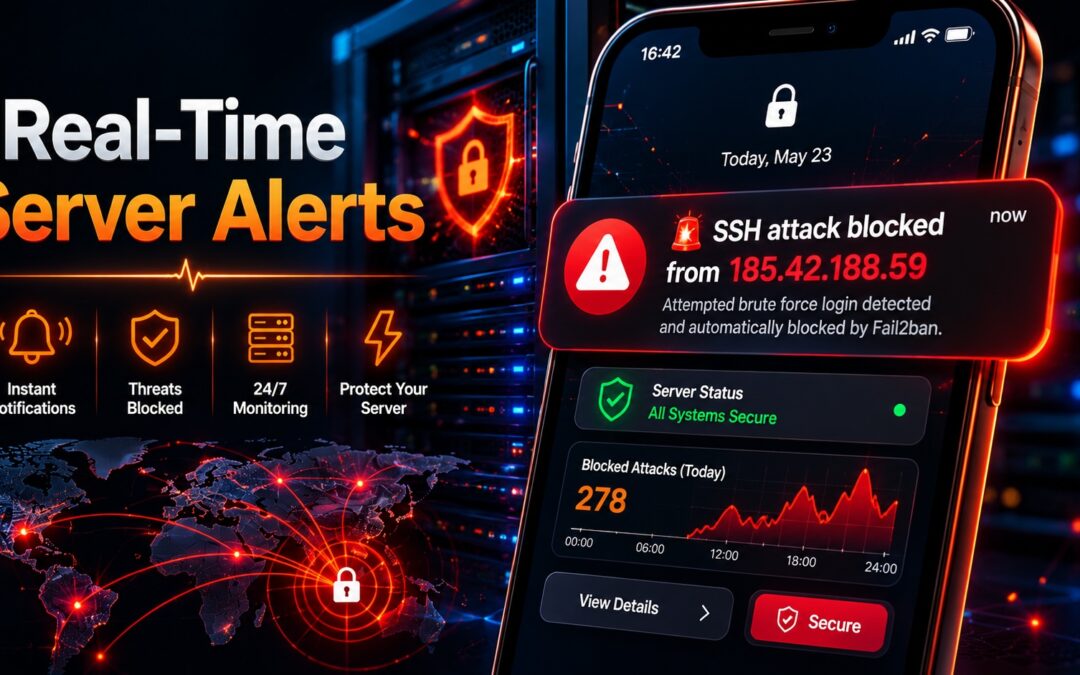
Stop checking logs manually. Get instant push notifications when your server is attacked. Free, no registration, works with Fail2ban, Docker, cron jobs, and scripts. Complete setup guide for iOS and Android.
You have fail2ban running. Your firewall is configured. Your server is secure.
But how do you know when an attack happens?
Right now, you probably:
- Check logs manually (hours or days later)
- Rely on email alerts (delayed, often filtered as spam)
- Find out from users when something breaks
There's a better way.
ntfy.sh is a free, open-source push notification service that sends instant alerts to your phone. No registration. No accounts. No spam filters. Just instant notifications when your server detects an attack.
In this guide, I'll show you how to:
- Send notifications from fail2ban when IPs are banned
- Monitor cron jobs and backup scripts
- Get alerts from any shell script
- Set up priority levels for different types of alerts
What you need:
- A server running Linux (any distribution)
- 5 minutes of time
- A smartphone (iOS or Android)
What is ntfy.sh?
ntfy.sh is a simple HTTP-based pub/sub notification service. You publish messages to a topic, and anyone subscribed to that topic receives the message as a push notification.
| Feature | Details |
|---|---|
| Cost | Free (also self-hostable) |
| Registration | None required |
| Apps | iOS, Android, CLI, web |
| Rate limits | Reasonable for personal use |
| Encryption | TLS for transit |
| Self-host | Yes, open source |
How It Works
Your Server                    ntfy.sh Cloud                  Your Phone
     │                              │                              │
     │  POST /your-topic            │                              │
     │  "🚨 IP 1.2.3.4 banned"      │                              │
     │ ─────────────────────────►   │                              │
     │                              │  Push Notification          │
     │                              │ ─────────────────────────►  │
     │                              │                              │
Step 1: Install the ntfy App on Your Phone
iOS (iPhone/iPad)
- Open the App Store
- Search for "ntfy"
- Install the app by Philipp Heckel
- Open the app
Android
- Open Google Play Store
- Search for "ntfy"
- Install the app by Philipp Heckel
- Open the app
Alternative: Web App (No Installation)
If you can't install apps, use the web version: https://ntfy.sh/app
Step 2: Subscribe to a Topic
A topic is simply a name you choose. Think of it like a channel. Anyone who knows the topic name can subscribe.
On the Mobile App
- Tap the "+ Add subscription" button
- Enter your topic name (e.g.,
my-server-alerts) - Server stays as
https://ntfy.sh(default) - Tap "Add"
On the Web (Alternative)
- Open
https://ntfy.sh/app - Enter your topic name in the box
- Press Enter
Topic Name Suggestions
| Server Type | Suggested Topic |
|---|---|
| Personal VPS | my-vps-alerts |
| Production mail server | mail-server-prod |
| Home lab | homelab-notifications |
| Multiple servers | server1-alerts, server2-alerts |
Security Note: Topic names are not secret. Anyone who knows your topic name can subscribe. For sensitive alerts, consider self-hosting ntfy.sh with authentication or using unique, unguessable topic names.
Step 3: Test Your First Notification
From Your Server
# Install curl if not already installed
sudo dnf install curl -y   # Rocky Linux/RHEL
# or
sudo apt install curl -y   # Ubuntu/Debian

# Send a test notification
curl -H "Title: ✅ Server Alert Test" \
     -H "Priority: high" \
     -H "Tags: white_check_mark" \
     -d "Your ntfy.sh setup is working!" \
     https://ntfy.sh/your-topic-name
Replace your-topic-name with the topic you subscribed to.
What You Should See
Your phone should receive a push notification within seconds.
![Notification example: "✅ Server Alert Test" with message "Your ntfy.sh setup is working!"]
Step 4: Configure Fail2ban to Send Alerts
This is the most valuable integration. When fail2ban bans an IP, you'll know instantly.
Create the ntfy Action for Fail2ban
# Create the action configuration
sudo tee /etc/fail2ban/action.d/ntfy.conf > /dev/null << 'EOF'
[Definition]
actionban = curl -H "Title: 🚨 FAIL2BAN ALERT" \
                -H "Priority: high" \
                -H "Tags: warning,skull" \
                -d "<name> banned <ip> for <failures> failures (since <bantime> seconds)" \
                https://ntfy.sh/YOUR_TOPIC_NAME

actionunban = curl -H "Title: ✅ FAIL2BAN UNBAN" \
                  -H "Priority: low" \
                  -H "Tags: checkered_flag" \
                  -d "<name> unbanned <ip>" \
                  https://ntfy.sh/YOUR_TOPIC_NAME
EOF
Important: Replace YOUR_TOPIC_NAME with your actual topic name.
Enable the Action for Specific Jails
Edit your fail2ban jail configuration:
sudo nano /etc/fail2ban/jail.localAdd the action = ntfy line to the jails you want to monitor:
[sshd]
enabled = true
action = ntfy
maxretry = 3
bantime = 3600
[postfix]
enabled = true action = ntfy maxretry = 3 bantime = 3600
[dovecot]
enabled = true action = ntfy maxretry = 3 bantime = 3600
[recidive]
enabled = true action = ntfy bantime = 604800 # 1 week for repeat offenders
Restart Fail2ban
sudo systemctl restart fail2banTest the Integration
To test without waiting for an actual attack:
# Ban a test IP (use a harmless IP like 192.0.2.1)
sudo fail2ban-client set sshd banip 192.0.2.1

# Wait a few seconds for the notification
# Then unban it
sudo fail2ban-client set sshd unbanip 192.0.2.1
You should receive two notifications: one for the ban, one for the unban.
Step 5: Monitor Cron Jobs and Backup Scripts
Get notified when automated tasks succeed or fail.
Cron Job Alert Template
# Example: Backup script with notifications
sudo tee /usr/local/bin/backup-with-alert.sh > /dev/null << 'EOF'
#!/bin/bash

TOPIC="your-topic-name"

# Run your actual backup command
if /usr/local/bin/actual-backup-script.sh; then
    curl -H "Title: ✅ Backup Successful" \
         -H "Priority: low" \
         -H "Tags: white_check_mark,database" \
         -d "Backup completed at $(date)" \
         https://ntfy.sh/$TOPIC
else
    curl -H "Title: ❌ Backup Failed!" \
         -H "Priority: high" \
         -H "Tags: warning,skull" \
         -d "Backup failed at $(date). Check logs immediately." \
         https://ntfy.sh/$TOPIC
fi
EOF

sudo chmod +x /usr/local/bin/backup-with-alert.sh
Daily Security Report with Notification
sudo tee /usr/local/bin/security-report-ntfy.sh > /dev/null << 'EOF'
#!/bin/bash

TOPIC="your-topic-name"
REPORT="/tmp/security-report-$(date +%Y%m%d).txt"

# Generate report
echo "=== Security Report - $(date) ===" > $REPORT
echo "Server: $(hostname)" >> $REPORT
echo "" >> $REPORT

# Check fail2ban status
echo "Active bans:" >> $REPORT
sudo fail2ban-client status | grep "Jail list" >> $REPORT

# Count failed SSH attempts
FAILED=$(sudo grep "$(date --date='24 hours ago' '+%b %e')" /var/log/secure 2>/dev/null | grep -c "Failed password")
echo "Failed SSH attempts (24h): $FAILED" >> $REPORT

# Send summary as notification
if [ $FAILED -gt 10 ]; then
    curl -H "Title: ⚠️ High Attack Activity" \
         -H "Priority: high" \
         -H "Tags: warning" \
         -d "$FAILED failed SSH attempts in 24 hours" \
         https://ntfy.sh/$TOPIC
fi

# Send full report as file (if you want)
# curl -H "Title: Daily Security Report" -H "Attach: $REPORT" https://ntfy.sh/$TOPIC
EOF

sudo chmod +x /usr/local/bin/security-report-ntfy.sh
Add to Crontab
sudo crontab -eAdd:
# Daily security summary
0 8 * * * /usr/local/bin/security-report-ntfy.sh

# Backup notification
0 2 * * * /usr/local/bin/backup-with-alert.sh
Step 6: Advanced Notification Features
Priority Levels
| Priority | Name | Behavior | Use Case |
|---|---|---|---|
| 1-2 | Min/Low | Silent notification | Successful backups |
| 3 | Default | Normal notification | Routine events |
| 4-5 | High/Urgent | Alert with sound | Security alerts |
| 5 | Max | Urgent, breaks through Do Not Disturb | Server down |
# Low priority (success messages)
curl -H "Priority: low" -d "Backup completed" https://ntfy.sh/topic

# High priority (security alerts)
curl -H "Priority: high" -H "Tags: warning" -d "Suspicious activity detected" https://ntfy.sh/topic

# Max priority (emergency)
curl -H "Priority: urgent" -d "SERVER DOWN - Immediate action required" https://ntfy.sh/topic
Tags (Emojis)
Add visual context with emoji tags:
| Tag | Emoji | Use |
|---|---|---|
warning | ⚠️ | Warnings |
skull | 💀 | Security threats |
white_check_mark | ✅ | Success |
red_circle | 🔴 | Error |
green_circle | 🟢 | Success |
clock | 🕐 | Time-based events |
package | 📦 | Package updates |
floppy_disk | 💾 | Backups |
# Multiple tags
curl -H "Tags: warning,skull" -d "Attack detected" https://ntfy.sh/topic
Click Actions
Make notifications actionable by adding a URL:
curl -H "Click: https://your-server.com/logs" \
     -d "Click to view logs" \
     https://ntfy.sh/topic
Attach Files
Send log files with notifications:
curl -H "Attach: /var/log/maillog" \
     -d "Mail log attached" \
     https://ntfy.sh/topic
Step 7: Self-Hosting ntfy.sh (Optional)
For sensitive environments, you can host ntfy.sh on your own server.
Docker Installation
# Pull and run ntfy.sh
docker run -d \
  --name ntfy \
  --restart unless-stopped \
  -p 8080:80 \
  -v /var/cache/ntfy:/var/cache/ntfy \
  -v /etc/ntfy:/etc/ntfy \
  binwiederhier/ntfy serve
Configure Authentication
# Create user/password file
sudo mkdir -p /etc/ntfy
sudo htpasswd -c /etc/ntfy/user.htpasswd your-username
Update Your Server to Use Self-Hosted Instance
Change the URL in all curl commands from https://ntfy.sh/topic to https://your-server.com:8080/topic
Step 8: Complete Monitoring Script Example
Here's a comprehensive monitoring script you can run every 5 minutes:
sudo tee /usr/local/bin/server-monitor.sh > /dev/null << 'EOF'
#!/bin/bash

TOPIC="your-topic-name"

# Check if services are running
SERVICES="nginx php-fpm postfix dovecot fail2ban"
DOWN=""

for service in $SERVICES; do
    if ! systemctl is-active --quiet $service; then
        DOWN="$DOWN $service"
    fi
done

# Alert if any service is down
if [ -n "$DOWN" ]; then
    curl -H "Title: 🔴 SERVICES DOWN" \
         -H "Priority: urgent" \
         -H "Tags: red_circle,skull" \
         -d "Services down: $DOWN on $(hostname)" \
         https://ntfy.sh/$TOPIC
fi

# Check disk space
USAGE=$(df -h / | tail -1 | awk '{print $5}' | tr -d '%')
if [ $USAGE -gt 85 ]; then
    curl -H "Title: ⚠️ Low Disk Space" \
         -H "Priority: high" \
         -H "Tags: warning" \
         -d "Disk usage: $USAGE% on $(hostname)" \
         https://ntfy.sh/$TOPIC
fi

# Check memory
MEM=$(free | grep Mem | awk '{print int($3/$2 * 100)}')
if [ $MEM -gt 90 ]; then
    curl -H "Title: ⚠️ High Memory Usage" \
         -H "Priority: high" \
         -d "Memory usage: $MEM% on $(hostname)" \
         https://ntfy.sh/$TOPIC
fi

# Check load average
LOAD=$(uptime | awk -F'load average:' '{print $2}' | cut -d',' -f1 | tr -d ' ')
if (( $(echo "$LOAD > 5" | bc -l) )); then
    curl -H "Title: ⚠️ High Load Average" \
         -H "Priority: high" \
         -d "Load average: $LOAD on $(hostname)" \
         https://ntfy.sh/$TOPIC
fi

# Everything is fine - optional low-priority heartbeat
# curl -H "Priority: min" -d "All services OK on $(hostname)" https://ntfy.sh/$TOPIC
EOF

sudo chmod +x /usr/local/bin/server-monitor.sh
Schedule Every 5 Minutes
sudo crontab -eAdd:
*/5 * * * * /usr/local/bin/server-monitor.shTroubleshooting
No Notifications Received
| Issue | Check |
|---|---|
| App not subscribed | Verify topic name matches |
| Do Not Disturb mode | Check phone settings |
| Internet connection | Test with browser |
| Wrong URL | Ensure https://ntfy.sh/ not http:// |
Fail2ban Not Sending Alerts
# Test the action manually
sudo fail2ban-client set sshd banip 192.0.2.1

# Check fail2ban logs
sudo tail -20 /var/log/fail2ban.log

# Verify curl is installed
which curl
Notifications Too Frequent
Adjust fail2ban parameters:
# In jail.local[sshd]
maxretry = 5 # More attempts before ban (default 3) findtime = 600 # Longer time window (default 600) bantime = 7200 # Longer ban (default 3600)
Complete Integration Summary
| What to Monitor | How | Priority |
|---|---|---|
| Fail2ban bans | ntfy action in fail2ban | High |
| Backup success/failure | Script wrapper | Low |
| Services down | Cron check | Urgent |
| Disk space | Cron check | High |
| Security report | Daily cron | Medium |
| Server load | Cron check | High |
Conclusion
You've set up real-time monitoring for your server that:
- ✅ Works instantly (no email delays)
- ✅ Costs nothing (free tier)
- ✅ Requires no registration
- ✅ Works on iOS and Android
- ✅ Integrates with fail2ban, cron, and any script
No more discovering attacks the next morning. You'll know the moment something happens.
Quick Reference: Common Commands
# Send simple message
curl -d "Your message" https://ntfy.sh/your-topic

# With title and priority
curl -H "Title: Alert" -H "Priority: high" -d "Message" https://ntfy.sh/your-topic

# With emoji tags
curl -H "Tags: warning,skull" -d "Attack detected" https://ntfy.sh/your-topic

# From fail2ban (automatic after setup)
# Just watch your phone when bans happen

# Test your setup
curl -H "Title: Test" -d "Working!" https://ntfy.sh/your-topic
About the Author
I'm a system administrator who monitors multiple production servers. ntfy.sh has replaced email alerts entirely for my infrastructure.