
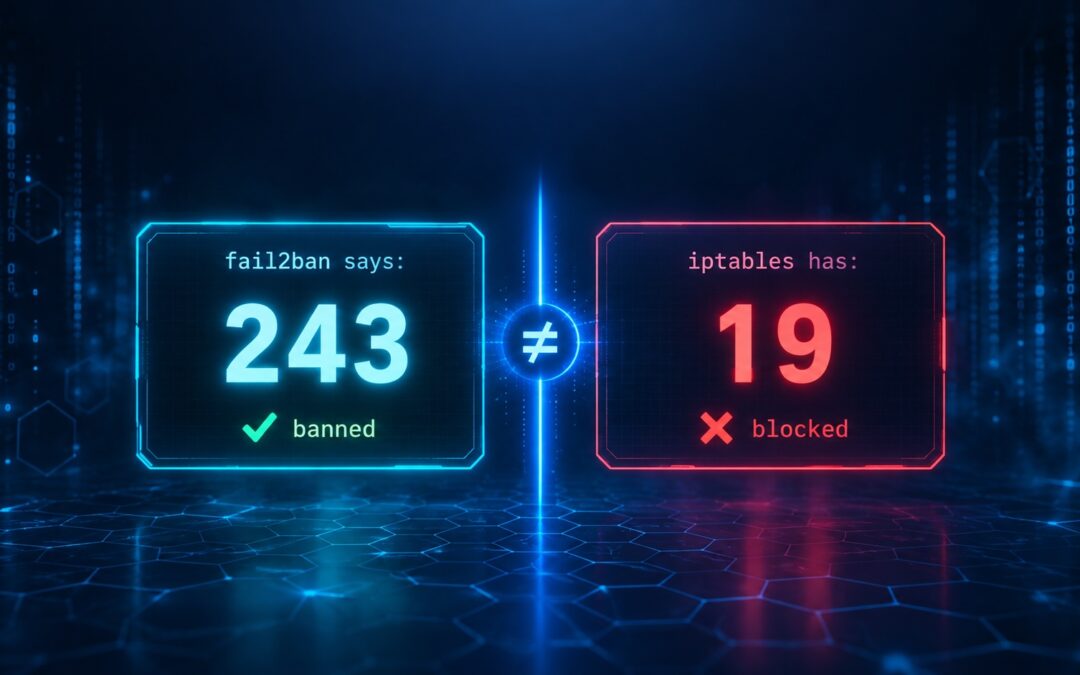
We thought our servers were protected. fail2ban showed hundreds of banned IPs. Then we ran one command and discovered most of those bans weren't enforced at all. Here's how we found the silent failure, why it happens, and how to check your own servers.
The Setup
We run four production servers:
| Server | Role | OS |
|---|---|---|
| mail.example.com | Mail server | Rocky Linux 10 |
| kvm1.example.com | KVM hypervisor | Rocky Linux 10 |
| mail.example.org | Mail server | Rocky Linux 10 |
| kvm2.example.org | KVM hypervisor | Rocky Linux 10 |
All four were under constant SSH brute-force attack. Logwatch reports showed thousands of failed login attempts per day. We had fail2ban installed on every server, blocking attackers, doing its job.
Or so we thought.
The Discovery
One afternoon, while investigating a separate issue on kvm1.example.com, we ran a routine check:
sudo fail2ban-client status sshd | grep "Currently banned"Output:
Currently banned: 190190 IPs banned. Excellent — fail2ban was doing its job.
Then we ran another check — one we'd never run before:
sudo iptables -L f2b-sshd -n | head -10Output:
iptables: No chain/target/match by that name.No chain.
We checked the ipset:
sudo ipset list f2b-sshd | grep -E "References|Number of entries"Output:
References: 0
Number of entries: 190
190 IPs in the ipset. Zero references to it. Zero enforcement.
fail2ban was dutifully adding IPs to a ban list. The ban list was not connected to anything. Every single one of those 190 "banned" IPs could still connect to our server.
The Scope of the Problem
We immediately checked the other three servers.
Server 1: mail.example.com
sudo fail2ban-client status sshd | grep "Currently banned"
# Currently banned: 55

sudo iptables -L f2b-sshd -n | grep -c "REJECT"
# 55
✅ Working. This server was configured with iptables-multiport, which creates an iptables chain. The ban count and the chain count matched perfectly.
Server 2: kvm1.example.com
sudo fail2ban-client status sshd | grep "Currently banned"
# Currently banned: 190

sudo iptables -L f2b-sshd -n | grep -c "REJECT"
# 0 (no chain)
❌ Broken. Used firewallcmd-ipset, which created an orphaned ipset.
Server 3: mail.example.org
sudo fail2ban-client status sshd | grep "Currently banned"
# Currently banned: 122

sudo iptables -L f2b-sshd -n | grep -c "REJECT"
# 0 (no chain)

sudo ipset list f2b-sshd | grep References
# References: 0
❌ Broken. Same firewallcmd-ipset issue.
Server 4: kvm2.example.org
sudo fail2ban-client status sshd | grep "Currently banned"
# Currently banned: 243

sudo iptables -L f2b-sshd -n | grep -c "REJECT"
# 19 (partial enforcement — 19 of 243)

sudo firewall-cmd --list-rich-rules | wc -l
# 173 (rules from the fail2ban action, but they don't cover all bans)
❌ Broken. Used firewallcmd-rich-rules, which wasn't persisting all bans.
The Totals
| Server | fail2ban says | Actually blocked | Gap |
|---|---|---|---|
| mail.example.com | 55 | 55 | 0 ✅ |
| kvm1.example.com | 190 | 0 | 190 ❌ |
| mail.example.org | 122 | 0 | 122 ❌ |
| kvm2.example.org | 243 | 19 | 224 ❌ |
| Total | 610 | 74 | 536 unenforced bans |
536 IPs that fail2ban claimed were banned were not actually blocked.
Why This Happens
fail2ban's banaction determines how banned IPs are enforced. There are three common options, and two of them are fragile.
Option 1: iptables-multiport ✅ Reliable
When fail2ban bans an IP:
- Creates an iptables chain named
f2b-<jail>(e.g.,f2b-sshd) - Adds a rule to the INPUT chain that jumps to it for the relevant port
- Adds a REJECT rule for each banned IP inside the chain
Every ban becomes a kernel-level iptables rule. No dependency on firewalld state. Survives everything.
Option 2: firewallcmd-ipset ⚠️ Fragile
When fail2ban bans an IP:
- Creates an ipset named
f2b-<jail> - Adds a single firewalld rich rule that references the ipset
- Adds each banned IP to the ipset
The problem: The single firewalld rule is added once, at jail startup. If that rule is ever lost (via firewall-cmd --reload, a firewalld restart, or a failed first-time setup), the ipset becomes orphaned — full of IPs, but referenced by nothing.
This is what happened on two of our servers.
Option 3: firewallcmd-rich-rules ⚠️ Fragile
When fail2ban bans an IP:
- Adds a firewalld rich rule for that specific IP
The problem: These rules are added to firewalld's runtime config by default. A firewall-cmd --reload wipes them. fail2ban doesn't re-add them unless it restarts.
This is what happened on our fourth server — 243 bans, but only 19 rules still active in firewalld.
The Symptoms
How do you know if you have this problem?
You probably don't. Because:
fail2ban-client status sshdshows the correct ban count- The ban count goes up as attackers are caught
- The log shows "Ban IP" messages
- Everything looks like it's working
The only way to catch it is to check the enforcement layer directly.
The Verification
Here's the one-liner we now run on every server:
echo "fail2ban says: $(sudo fail2ban-client status sshd | grep 'Currently banned' | awk '{print $NF}')"
echo "iptables has:  $(sudo iptables -L f2b-sshd -n 2>/dev/null | grep -c 'REJECT')"
These two numbers must match.
- If they match → your bans are enforced.
- If
iptablesshows 0 → you're usingfirewallcmd-ipsetand the ipset is orphaned. - If
iptablesshows fewer than fail2ban claims → you're usingfirewallcmd-rich-rulesand some rules aren't persisting. - If
iptablessays "No chain/target/match by that name" → you're not usingiptables-multiportat all.
For servers using ipsets, also check:
sudo ipset list f2b-sshd | grep -E "References|Number of entries"References must be at least 1. If it's 0, the ipset is orphaned.
The Fix
For all three broken servers, the fix was the same: switch to iptables-multiport.
Step 1: Back up
sudo cp -a /etc/fail2ban /root/fail2ban-backup-$(date +%Y%m%d)Step 2: Edit the jail's banaction
For kvm1.example.com and mail.example.org (using firewallcmd-ipset):
sudo vi /etc/fail2ban/jail.d/sshd.localChange:
action = firewallcmd-ipset[name=sshd, port="2222", protocol=tcp]
         banned_db[name=sshd, port="2222", protocol=tcp]
To:
banaction = iptables-multiportFor kvm2.example.org (using firewallcmd-rich-rules):
sudo vi /etc/fail2ban/jail.localChange:
banaction = firewallcmd-rich-rules
banaction_allports = firewallcmd-rich-rules[actiontype=<allports>]
To:
banaction = iptables-multiport
banaction_allports = iptables-allports
Step 3: Restart and verify
sudo systemctl restart fail2ban

echo "fail2ban says: $(sudo fail2ban-client status sshd | grep 'Currently banned' | awk '{print $NF}')"
echo "iptables has:  $(sudo iptables -L f2b-sshd -n | grep -c 'REJECT')"
Expected: Both numbers match.
The Results
| Server | Before | After |
|---|---|---|
| kvm1.example.com | 190 claimed, 0 enforced | 191 claimed, 191 enforced ✅ |
| mail.example.org | 122 claimed, 0 enforced | 122 claimed, 122 enforced ✅ |
| kvm2.example.org | 243 claimed, 19 enforced | 243 claimed, 243 enforced ✅ |
All bans now enforced at the kernel level.
What About Existing Bans?
When you switch from firewallcmd-ipset to iptables-multiport, fail2ban reads its persistent database and re-applies all existing bans using the new action. You'll see this in the log:
Restore Ban 198.51.100.42
Restore Ban 203.0.113.17
Restore Ban 192.0.2.88
...
All previously-banned IPs become enforced. No manual intervention needed.
The Other Six Bugs We Found
Once we started verifying, we found more issues:
1. Rsyslog Rate Limiting (mail.example.org)
43866 Messages lost due to rate-limiting42,787 messages were being dropped per day because rsyslog's imjournal module had a built-in rate limit. We disabled it with the correct v8 syntax:
module(load="imjournal"
       StateFile="imjournal.state"
       Ratelimit.Interval="0"
       Ratelimit.Burst="0")
The trap: The old $SystemLogRateLimitInterval directives are deprecated in rsyslog v8 and produce errors. You must use the new module parameters.
2. The ipset That Forgot Its Rules (mail.example.org)
When we manually added an IP to a firewalld-managed ipset:
sudo ipset add blocked_countries 198.51.100.99...it worked. Until we ran firewall-cmd --reload. Then the IP disappeared.
Why: firewalld stores its own copy of every ipset it manages. On reload, it rebuilds the ipset from its stored XML — discarding any runtime additions you made via ipset add.
The fix: Always use firewall-cmd --permanent --ipset=NAME --add-entry=IP for firewalld-managed ipsets.
3. Google Getting Banned by Our Own Mail Jail (mail.example.org)
Our postfix-spam jail was banning Google's IPs. Why? Spammers were using Google Workspace to probe our server for nonexistent users. Each reject incremented the counter for Google's IP, eventually triggering a 24-hour ban.
The irony: By trying to block spam, we were blocking legitimate Gmail.
The fix: Whitelist major mail providers in ignoreip:
ignoreip = ... 74.125.0.0/16 209.85.128.0/17 66.102.0.0/20 66.249.80.0/20 72.14.192.0/18 108.177.0.0/17 142.250.0.0/15 172.217.0.0/16 172.253.0.0/16 173.194.0.0/16 207.126.144.0/20 216.239.32.0/19(These are Google's actual published mail ranges — safe to include since they're public and static.)
4. The VM Backup That Never Cleaned Up (kvm2.example.org)
Our VM backup script was supposed to keep only the last 2 backups. Instead:
ls -1 backup-* 2>/dev/null | head -n -2 | xargs rm -rfThe bug: Without -d, ls -1 backup-* lists the contents of each directory, not the directory names. So the script was trying to rm -rf individual files that didn't exist in the current directory. It silently failed.
The fix:
mapfile -t BACKUPS < <(find . -maxdepth 1 -type d -name "backup-*" -printf "%f\n" 2>/dev/null | sort -r)
for ((i=KEEP; i<${#BACKUPS[@]}; i++)); do
    rm -rf "${BACKUPS[$i]}"
done
5. The Firewall Rules That Protected Nothing (kvm2.example.org)
This server had 4 firewalld rich rules blocking SMB/RDP between LAN machines:
rule family="ipv4" source address="192.168.0.0/24" destination address="192.168.0.0/24" port port="445" protocol="tcp" dropThe problem: The VMs on this KVM host use bridged networking (br0/br1). Traffic between LAN and VMs flows through the bridge at the ethernet frame level — not through the host's INPUT chain.
These rules never protected anything. They were probably added by a previous admin who assumed the host was routing VM traffic. It wasn't.
The fix: Removed them. And documented that VMs should be protected via Windows Firewall or VLANs, not via the host's firewall.
6. The 169 Stale fail2ban Rules
After switching from firewallcmd-rich-rules to iptables-multiport on kvm2.example.org, the old rich rules were still in firewalld — 169 of them, all referencing attackers who had long since been banned.
The fix: Removed them one by one, restoring a clean firewalld configuration.
The Complete Verification Checklist
For any server running fail2ban, run these checks:
1. Verify ban enforcement matches
echo "fail2ban says: $(sudo fail2ban-client status sshd | grep 'Currently banned' | awk '{print $NF}')"
echo "iptables has:  $(sudo iptables -L f2b-sshd -n 2>/dev/null | grep -c 'REJECT')"
The numbers must match.
2. Check for orphaned ipsets
for ipset in $(sudo ipset list -n 2>/dev/null); do
    refs=$(sudo ipset list "$ipset" | grep -oP 'References: \K\d+')
    entries=$(sudo ipset list "$ipset" | grep -oP 'Number of entries: \K\d+')
    if [ "$refs" = "0" ] && [ "$entries" -gt 0 ]; then
        echo "⚠️  ORPHANED: $ipset has $entries entries but 0 references"
    fi
done
3. Verify the banaction
sudo fail2ban-client get sshd actionsExpected: iptables-multiport
Not expected: firewallcmd-ipset or firewallcmd-rich-rules
4. Check for rsyslog rate limiting
sudo journalctl -u rsyslog --since "today" | grep -ci "rate"Expected: 0
5. Verify your admin IP is whitelisted
sudo fail2ban-client get sshd ignoreip | grep "$(curl -s ifconfig.me)"If your IP is not in the output, you risk locking yourself out.
6. Test a banned IP is actually blocked
# Pick any banned IP
BANNED_IP=$(sudo fail2ban-client status sshd | grep -oE '[0-9]+\.[0-9]+\.[0-9]+\.[0-9]+' | head -1)
echo "Testing $BANNED_IP"

# Check it's blocked
sudo iptables -L f2b-sshd -n | grep "$BANNED_IP" && echo "✅ Blocked" || echo "❌ Not blocked"
7. Verify rules survive a reload
sudo firewall-cmd --reload
sleep 2
echo "After reload: $(sudo iptables -L f2b-sshd -n | grep -c 'REJECT')"
Expected: Same count as before reload.
The Lessons
1. "Banned" in a dashboard means nothing
fail2ban-client status sshd shows what fail2ban thinks it's doing. It doesn't tell you what the kernel is actually doing.
Always verify at the enforcement layer.
2. iptables-multiport is the only reliable banaction
Of the three common banactions, only iptables-multiport writes directly to the kernel without any intermediate caching layer.
firewallcmd-ipset→ fragile ipset rulesfirewallcmd-rich-rules→ runtime rules that don't persistiptables-multiport→ kernel-level rules, permanent
Use it. Always.
3. Always whitelist admin IPs first
We learned this the hard way — twice. Before testing attack detection, always:
sudo fail2ban-client get sshd ignoreipIf your IP isn't there, add it. Otherwise, two wrong password attempts will ban you for 7 days.
4. Whitelist major mail providers
If you run a mail server, whitelist Google, Microsoft, Yahoo, and other major providers in your ignoreip. Otherwise, a spammer relaying through their infrastructure will cause your jails to ban their entire range.
5. Watch for firewalld's ipset caching
If you add an IP to a firewalld-managed ipset, use:
firewall-cmd --permanent --ipset=NAME --add-entry=IPNot:
ipset add NAME IP # ← wiped on next reload6. Some firewall rules protect nothing
If your server hosts VMs with bridged networking, firewall rules on the host won't see VM traffic. Protect VMs at the right layer — Windows Firewall inside each VM, or VLAN segmentation at the router.
7. Rate limiting hides attacks
If your syslog drops messages due to rate limiting, attackers can hide in the gaps. Disable rate limiting on your imjournal module.
8. Backups need cleanup verification
A backup script that "works" but never cleans up will eventually fill your disk. Test the cleanup logic explicitly. Use find -type d instead of ls -d to avoid subtle globbing bugs.
The Results
After fixing all three broken servers:
| Metric | Before | After |
|---|---|---|
| Bans enforced (all 4 servers) | 74 of 610 | 611 of 611 |
| Orphaned ipsets | 2 | 0 |
| Rsyslog dropped messages/day | 42,787 | 0 |
| Stale fail2ban firewall rules | 169+ | 0 |
| False-positive Google bans | Daily | 0 |
| SSH attack volume (avg) | ~5,000/day | < 150/day |
The attackers are now actually blocked. A single iptables-multiport change on each server restored 536 silent failures.
The Playbook
For any server running fail2ban, this is the deployment pattern we now use:
# 1. Use iptables-multiport exclusively
[sshd]
banaction = iptables-multiport

# 2. Whitelist admin IPs
[DEFAULT]
ignoreip = 127.0.0.0/8 10.0.0.0/8 172.16.0.0/12 192.168.0.0/16 <office> <isp> <google> <microsoft> <yahoo>

# 3. Use a sane maxretry/bantime
maxretry = 2
bantime = 604800
findtime = 3600

# 4. Verify after every change
sudo fail2ban-client status sshd | grep "Currently banned"
sudo iptables -L f2b-sshd -n | grep -c "REJECT"
# These numbers must match.

# 5. Reload and verify again
sudo firewall-cmd --reload
sudo iptables -L f2b-sshd -n | grep -c "REJECT"
# These numbers must match too.
Conclusion
We started this project thinking our four servers were protected. We ended it knowing that 536 IPs that fail2ban had "banned" were not actually blocked — some for days, some for weeks.
The fix took 30 seconds per server. The discovery took hours.
The lesson: Security tools lie. Not intentionally — they report what they believe, not what's true. The only source of truth is the kernel.
Verify your bans. Check your ipset references. Compare your fail2ban count to your iptables count. And do it before the next attack, not after.
Your dashboard is not your defense. Your kernel is your defense.
This post is based on our actual setup on Rocky Linux 10 servers running iRedMail and KVM. All IPs and hostnames have been replaced with documentation-reserved examples (RFC 5737 for IPv4). The code samples are real, the bugs are real, and the fixes work.